Do patients need to install an app?
No. Patients open a secure link in Chrome, Safari, or any modern mobile browser. The DICOM viewer runs entirely in the browser — same zero-footprint approach used by leading cloud PACS platforms.
How do studies reach the cloud from my CT / MRI machine?
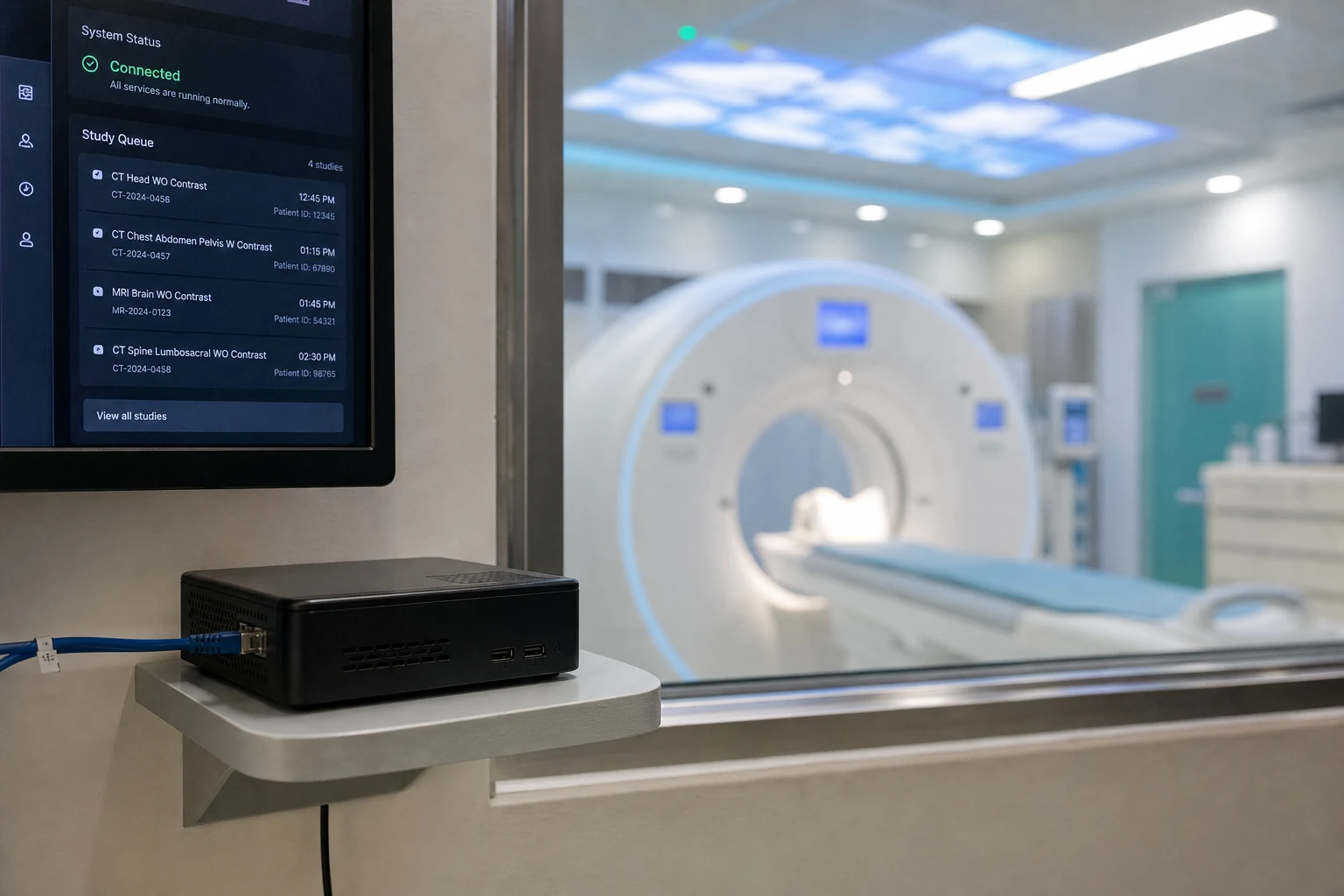
Install MediLinkFilm Router on a Windows PC at your centre. Configure your modality to send DICOM to the Router (AE Title and port shown on the Router dashboard). The Router encrypts and uploads automatically.
Which modalities are supported?
CT, MRI, X-Ray, Ultrasound, Mammography, OPG, CBCT, Angiography, and any other modality that outputs standard DICOM.
Where is patient data stored?
Encrypted cloud storage under MediLinkFilm operational control. Data is scoped per hospital and never exposed as permanent files on patient devices.
Can I try before full activation?
Yes. Register online and start uploading immediately with the trial quota. Full production quota activates after a brief operator verification.
Is MediLinkFilm only for large hospitals?
No. It is built for independent diagnostic centres, single-modality clinics, and hospitals of every size. If you produce DICOM and want every study to also live as a secure digital copy the patient can open on any phone, it fits.
Do we have to replace our existing PACS?
No. MediLinkFilm is not trying to replace your hospital’s entire PACS. It sits alongside your current workflow — whether you use film, CD, or an existing archive — and makes every MRI/CT study easier to preserve, access, and securely share with patients and referring doctors.
What hardware and network do we need at the centre?
One Windows 10 or 11 PC (64-bit) on the same network as your modality, with a stable internet connection. The MediLinkFilm Router runs quietly in the background — no dedicated server room required for most centres.
How long does setup take?
Most centres are live within about 15 minutes after registering: install the Router, point your modality DICOM output at the AE Title shown in your dashboard, and send a test study. Our team can walk you through the first connection on WhatsApp if needed.
Can we continue giving patients film or CD as we do today?
Yes. MediLinkFilm is designed to sit alongside the film or CD you already provide — not replace it. The digital copy is an additional, permanent backup the patient can open on any phone, years after physical media may be lost or damaged.
How do referring doctors receive and open studies?
You share a secure link on WhatsApp or copy it from the status dashboard. Referring doctors can open the study in any modern browser with no app install. Doctors who register get a personal portal that groups every study sent to them, by hospital.
How does WhatsApp sharing work?
From the status dashboard, select a study and send a WhatsApp message with a secure link to the patient or referring doctor. The link opens a hospital-branded page with the DICOM viewer and any attached reports — no file attachment size limits, no app download.
How secure are patient share links?
Each study gets a unique, token-secured link — not a guessable URL and not an open DICOM directory. Access is scoped to your hospital. Every share and view event is recorded on the audit trail. Links can be revoked when access is no longer needed.
What if a patient loses the link?
Resend the same link from your dashboard in one click — the study remains in your cloud archive. The patient does not need to revisit the centre or pay for a reprint unless you choose to charge for that service.
How long are studies kept in the cloud?
Studies are retained according to your hospital’s configured retention policy on the platform. Contact us during onboarding if you need a specific retention period for your centre’s compliance requirements.
Can multiple staff members use the dashboard?
Yes. Add front desk, radiology, and admin staff with role-based access — each person sees only what their role allows. The full status dashboard also works from a mobile browser, so staff can search, attach reports, or resend links from anywhere at the centre.
Do we need a credit card to start the free trial?
No credit card required. Register your hospital online, install the Router, and start uploading with the launch trial quota (400 free study uploads until 31 October 2026). Full production quota activates after a brief operator verification.
We already burn CDs — why add a digital copy?
CDs get lost, scratched, or left at home when the patient visits a specialist in another city. A secure cloud copy reaches the referring doctor in seconds on WhatsApp, stays available for years, and removes the cost of blank media, burning time, and courier — while you keep giving film or CD to patients who want it.
Does MediLinkFilm replace our radiology reporting workflow?
No. MediLinkFilm focuses on ingest, cloud preservation, and secure sharing — not primary diagnostic reporting or RIS functions. Attach your radiology report PDF to the same link the patient opens; keep using your existing reporting process if you already have one.
What happens if the internet goes down during an upload?
The MediLinkFilm Router queues studies locally and retries automatically when the connection returns. Nothing is lost at the modality — the Router picks up where it left off without operator intervention.
Where is patient data stored?
On secure cloud infrastructure operated for MediLinkFilm. Data is scoped per hospital — one centre’s studies never appear in another’s dashboard. Contact us about data residency for your region.
Can I see a live demo before registering?
Yes. Scroll to the patient viewer section on this page and open the live demo link — it shows exactly what a patient or referring doctor sees when they open a shared study in their browser, with no app install.
Who do we contact for onboarding help?