Cloud PACS

Films fade.
Your patient’s scan shouldn’t.

Films can tear, fade or go missing over the years. MediLinkFilm connects your CT, MRI, X-Ray and Ultrasound modalities to a secure cloud — so every study you acquire also gets a digital copy the patient can open on any phone. Today, next year, or ten years from now, alongside the film they already take home.

  • A lifelong digital copy of every study
  • Opens on any phone — no app, no login for the patient
  • Sits alongside the film you already provide
Launch offer 400 free study uploads for every hospital & diagnostic centre — until 31 October 2026.

Cloud PACS for diagnostic centres worldwide — DICOM-compatible modalities we work with today

CT MRI X-Ray Ultrasound OPG / CBCT Mammography Angiography
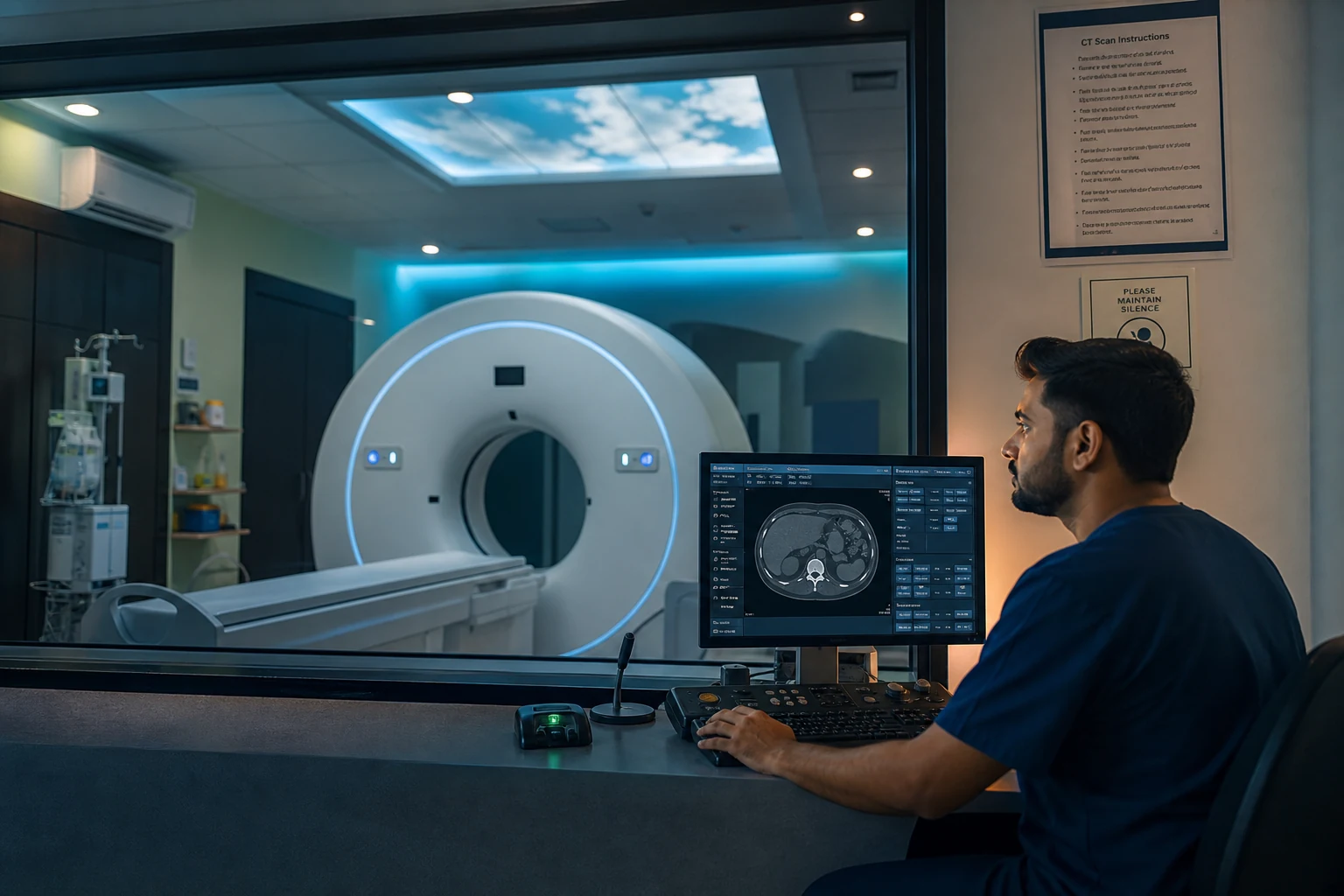
Technician at a CT scanner console in a modern hospital radiology suite
On the imaging floor

Your scanner room stays the same.
Everything downstream changes.

MediLinkFilm sits between the modality and the world outside. Your technician acquires studies the same way they always have — MediLinkFilm handles what happens after the acquisition finishes.

  1. 1
    At the modality console Technician runs the CT / MRI / X-Ray study exactly as before. Nothing new to click.
  2. 2
    On the on-site router DICOM lands on the router PC and uploads securely to your MediLinkFilm cloud — automatically, over an encrypted connection.
  3. 3
    Out to the patient Front desk clicks Share; a secure link goes out on WhatsApp for the patient and the referring doctor — a digital copy they can open on any phone, alongside the film they take home.
Platform

One system from modality to patient phone

Four purpose-built layers, engineered as one product — on-site router, hospital dashboard, patient viewer, and secure sharing. Built for how imaging centres actually work day to day.

MediLinkFilm Router

A small Windows service at your centre. Receives DICOM from your modality and streams every acquired study to the cloud — no manual export, no CD burner, no operator attention.

  • Auto-retry on network drop
  • AE Title configured per site
  • Windows 10 / 11 (64-bit)

Status dashboard

Live view of every study — ingested, processed, and ready. Front desk sees the same state as the radiologist and the router, with per-study timestamps and full audit trail.

  • Search, filter, sort in real time
  • Attach reports and additional media
  • Role-based access: front desk, radiologist, admin

Patient viewer

Zero-install DICOM viewer that opens on any phone or laptop browser. Window / level, zoom, scroll — plus report and attachment access from the same secure link.

  • Works offline after first load
  • Optimised for mobile bandwidth
  • Landing page with hospital branding

Share & access control

Time-limited, token-secured links per study. WhatsApp-native templates, quota enforcement per hospital, and revocation when access is no longer needed.

  • No open DICOM URLs — ever
  • Per-recipient share tracking
  • Hospital-scoped access boundaries
How it works

From modality to patient in four steps

Set up once. The router runs quietly at your centre while the platform handles everything else.

01

Register your hospital

Create your account and activate your quota. No sales call required to start the trial.

02

Install the Router

Download the Windows installer. Point your modality DICOM output at the AE Title shown in your dashboard.

03

Study flows to cloud

Every acquisition uploads automatically. Track ingest and processing status live on your dashboard.

04

Share & view

Generate a secure link, send it on WhatsApp, and let the recipient open the study on any device.

0
Free study uploads per new hospital
0
Minutes to first cloud study
0.9%
Ingest success rate on stable networks
0
Apps to install for patients
Patient viewer

A DICOM viewer patients will actually open

No app store, no login, no installation. The link opens the study directly in the patient's default browser — with a viewer designed for touch and low bandwidth.

  • Window / level, zoom, and scroll on mobile
  • Measurements, annotations, and cine playback for multi-frame studies
  • Report PDF and attachments on the same link
  • Patient can download the full study from the same link, anytime
  • Hospital-branded landing page
  • Works on any modern smartphone browser
Try the live patient link →
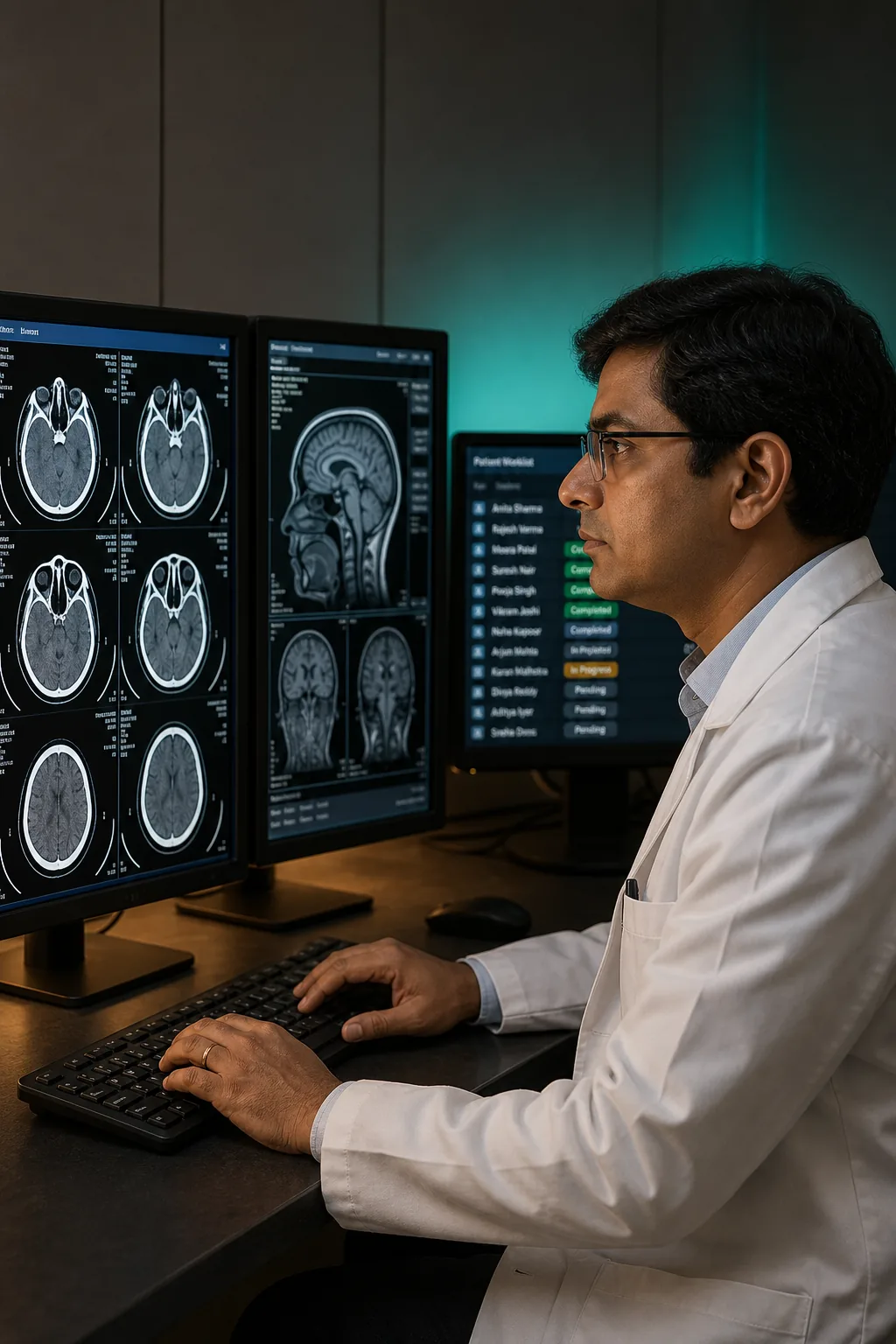
Radiologist reviewing CT and MRI scans on a dual-monitor workstation
Built for the whole team

One platform. Every role in radiology.

MediLinkFilm is designed for the day-to-day of a modern imaging centre — where the radiologist, the front desk, the referring doctor, and the patient all touch the same study.

For radiologists

Every study reachable from a browser. Attach reports directly to the same link the patient opens. Discuss cases with peers through the doctor portal.

For referring clinicians

Read the study on your phone before the patient walks into your OPD — or log into your personal MediLinkFilm portal to see every case sent to you, grouped by the hospital that referred it. No installs on the phone.

For diagnostic centres & hospitals

Live dashboard on any phone, multi-user roles for the front desk and radiology team, and a full audit trail of every share — including the moment the referring doctor actually opens the study.

For patients

The scan they’ll never lose. Opens on any phone, from any city, for as long as they need it — even years after the film has faded. No app, no login.

On-site router

Sits quietly beside your CT, MRI or X-Ray.
Never asks for attention.

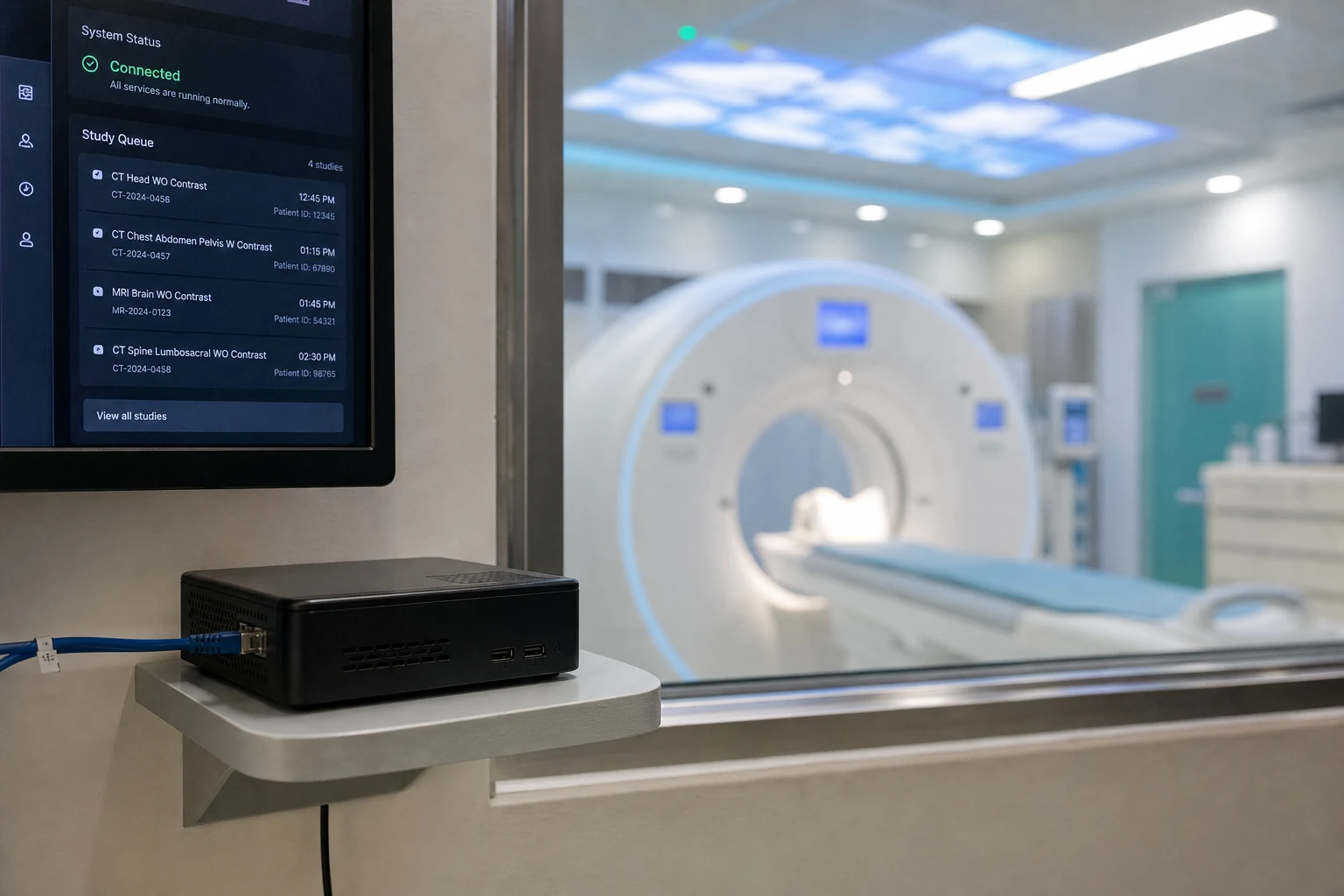
The MediLinkFilm Router is a small, unattended Windows service. It watches your modalities and streams every acquired study to the cloud — auto-retry on drops, no manual export, no CD burner.

Compact Windows PC running MediLinkFilm Router beside a CT scanner room
Status CONNECTED
Queue 0
Last study CT-000000
0%

At your centre

  • Receives DICOM from CT, MRI, X-Ray, ultrasound & more
  • Uploads over an encrypted (HTTPS) connection to your cloud vault
  • Auto-retries on transient network failure
  • Starts at Windows boot — runs unattended in the background

In your workflow

  • No manual CD burning, film printing, or courier
  • Dashboard updates the second a study lands
  • WhatsApp share templates per hospital
  • Auditable per-study timeline, ingest to delivery
Film alone vs. film + digital copy

What a digital copy adds to the film you already provide.

Keep giving patients the film they expect. Add a secure digital copy in the cloud — and see what it changes for the patient, the referring doctor, and your centre.

Film & CD alone Film + MediLinkFilm digital copy
Delivery time Hours to days Seconds — WhatsApp link
Setup at your centre Printer, film stock, CD burner, courier tie-up One Windows install — live in ~15 minutes
Doctor access Must collect physical media Doctor portal + secure link on any device
Lost or damaged media Common — reprint required, patient re-visit Immutable cloud backup — resend the link
Environmental cost Plastic film, CDs, envelopes Paperless — zero disposables
Access control Physical only — no revocation, no audit Token-secured, time-limited, fully audited
Cost per study Film + CD + operator time + courier Predictable cloud pricing
Signature features

Small touches. Big difference in the daily grind.

Beyond the core PACS, here’s what MediLinkFilm quietly adds — features that hospitals notice on day two, and cannot let go of by day thirty.

Record history in the patient’s own words — delivered in polished clinical language in one click.

Rewrite the intake step. The patient tells the story naturally; you press one button and the record is ready to paste into the report — in the language the referring doctor expects.

  • Bilingual comfort for the patient
  • Consistent clinical tone across your team
  • Ready to paste, straight into the report

Every scan carries its own history — right in the link.

Attach previous investigations, older reports, discharge summaries, and the current radiology report to the same secure link. The next doctor doesn’t chase for context — it is already in the folder.

  • Prior imaging & reports
  • Discharge summaries
  • Current report + addenda

Your imaging dashboard, in the pocket coat.

The full status page runs from any phone browser — search a study, add a report, resend a link, all from the ward, the parking lot, or between OPD patients. No app to install.

  • Search & filter
  • Attach & resend
  • Roles preserved on mobile

Snap it. Attach it. Move on.

A paper prescription, an old outside report, a wound or lesion photo — capture it with the phone camera from the dashboard, and it lands on the study straight away. No email chain, no lost paperwork.

  • External reports & prescriptions
  • Clinical photos
  • Consent forms & IDs

The referring doctor’s own worklist — quietly organised.

Doctors log in to a personal portal that groups every study by the hospital that sent it, marks new arrivals, and keeps years of prior cases searchable. Second opinion in the same portal — no CDs, no email attachments.

  • New vs. viewed at a glance
  • Grouped by referring centre
  • Search across every prior study

You’ll know the moment the referring doctor opens the scan.

When the doctor you shared the study with actually opens it, your dashboard turns it read. Front desk stops chasing on the phone; radiologist knows the case has landed.

  • Live view status per recipient
  • Patient can re-download anytime
  • Every share on the audit trail
Security & trust

Healthcare data deserves more than a landing-page promise.

We publish how MediLinkFilm handles imaging data so your compliance team can evaluate us before you connect a live modality.

Secure cloud hosting

Imaging and patient identifiers stay on protected infrastructure — scoped per hospital, with isolation between centres.

Encryption in transit

All web access over HTTPS/TLS. DICOM upload from Router to cloud uses encrypted transport end-to-end.

Token-secured access

Hospital staff authenticate to the portal. Patient and doctor viewer links use time-limited tokens — never open directories, never guessable URLs.

DPDP-aware design

Patient identifiers and imaging handled as sensitive health data under applicable privacy and healthcare regulations.

Hospital-scoped isolation

Data boundaries enforced at the application layer. One hospital's studies can never appear in another's dashboard or share links.

Audit trail per study

Every study carries an ingest timeline. Every share link records recipient, timestamp, and view events for internal audit.

No open DICOM URLs

Patient links resolve through a masked viewer — DICOM files are never directly downloadable from a public URL.

Transparent operator

MediLinkFilm — reachable directly by email and WhatsApp. No anonymous contact-form black hole.

The team

The people who built MediLinkFilm.

Engineering, imaging, cloud, and product experience — one team shipping cloud PACS for hospitals worldwide.

  • Rajesh Kalra

    Chief Architect & Product Engineering Lead

    Hanumangarh, Rajasthan, India

  • Sarvesh Shrivastav

    Medical Imaging & Platform Engineering Advisor

    Pune, Maharashtra, India

  • Jatinder Singh

    Cloud Infrastructure & Backend Engineer

    Toronto, Ontario, Canada

  • Seetal Dhuria

    Senior Full-Stack & Frontend Engineer

    Glen Allen, Virginia, United States

  • Shraddha Gupta

    QA, DevOps & Reliability Engineer

    Greater Noida, Uttar Pradesh, India

  • Shikha Maheshwari

    Product Experience & UI Engineer

    Dehradun, Uttarakhand, India

Launch pricing

Start free. Activate when you're ready to scale.

Every new hospital and diagnostic centre gets a full-featured trial. No credit card. No hidden add-ons.

Limited launch offer

400 free study uploads

Free until 31 October 2026 · Every hospital & diagnostic centre

  • Full status dashboard & multi-user staff
  • WhatsApp share templates & quota
  • Patient viewer — no app install required
  • MediLinkFilm Router (Windows) download
  • Doctor portal for referring physicians
  • Ongoing support during onboarding
Register your hospital

No credit card. Full quota activates after brief operator verification.

FAQ

Questions hospitals ask before adding MediLinkFilm

Do patients need to install an app?
No. Patients open a secure link in Chrome, Safari, or any modern mobile browser. The DICOM viewer runs entirely in the browser — same zero-footprint approach used by leading cloud PACS platforms.
How do studies reach the cloud from my CT / MRI machine?
Install MediLinkFilm Router on a Windows PC at your centre. Configure your modality to send DICOM to the Router (AE Title and port shown on the Router dashboard). The Router encrypts and uploads automatically.
Which modalities are supported?
CT, MRI, X-Ray, Ultrasound, Mammography, OPG, CBCT, Angiography, and any other modality that outputs standard DICOM.
Where is patient data stored?
Encrypted cloud storage under MediLinkFilm operational control. Data is scoped per hospital and never exposed as permanent files on patient devices.
Can I try before full activation?
Yes. Register online and start uploading immediately with the trial quota. Full production quota activates after a brief operator verification.
Is MediLinkFilm only for large hospitals?
No. It is built for independent diagnostic centres, single-modality clinics, and hospitals of every size. If you produce DICOM and want every study to also live as a secure digital copy the patient can open on any phone, it fits.
Do we have to replace our existing PACS?
No. MediLinkFilm is not trying to replace your hospital’s entire PACS. It sits alongside your current workflow — whether you use film, CD, or an existing archive — and makes every MRI/CT study easier to preserve, access, and securely share with patients and referring doctors.
What hardware and network do we need at the centre?
One Windows 10 or 11 PC (64-bit) on the same network as your modality, with a stable internet connection. The MediLinkFilm Router runs quietly in the background — no dedicated server room required for most centres.
How long does setup take?
Most centres are live within about 15 minutes after registering: install the Router, point your modality DICOM output at the AE Title shown in your dashboard, and send a test study. Our team can walk you through the first connection on WhatsApp if needed.
Can we continue giving patients film or CD as we do today?
Yes. MediLinkFilm is designed to sit alongside the film or CD you already provide — not replace it. The digital copy is an additional, permanent backup the patient can open on any phone, years after physical media may be lost or damaged.
How do referring doctors receive and open studies?
You share a secure link on WhatsApp or copy it from the status dashboard. Referring doctors can open the study in any modern browser with no app install. Doctors who register get a personal portal that groups every study sent to them, by hospital.
How does WhatsApp sharing work?
From the status dashboard, select a study and send a WhatsApp message with a secure link to the patient or referring doctor. The link opens a hospital-branded page with the DICOM viewer and any attached reports — no file attachment size limits, no app download.
How secure are patient share links?
Each study gets a unique, token-secured link — not a guessable URL and not an open DICOM directory. Access is scoped to your hospital. Every share and view event is recorded on the audit trail. Links can be revoked when access is no longer needed.
What if a patient loses the link?
Resend the same link from your dashboard in one click — the study remains in your cloud archive. The patient does not need to revisit the centre or pay for a reprint unless you choose to charge for that service.
How long are studies kept in the cloud?
Studies are retained according to your hospital’s configured retention policy on the platform. Contact us during onboarding if you need a specific retention period for your centre’s compliance requirements.
Can multiple staff members use the dashboard?
Yes. Add front desk, radiology, and admin staff with role-based access — each person sees only what their role allows. The full status dashboard also works from a mobile browser, so staff can search, attach reports, or resend links from anywhere at the centre.
Do we need a credit card to start the free trial?
No credit card required. Register your hospital online, install the Router, and start uploading with the launch trial quota (400 free study uploads until 31 October 2026). Full production quota activates after a brief operator verification.
We already burn CDs — why add a digital copy?
CDs get lost, scratched, or left at home when the patient visits a specialist in another city. A secure cloud copy reaches the referring doctor in seconds on WhatsApp, stays available for years, and removes the cost of blank media, burning time, and courier — while you keep giving film or CD to patients who want it.
Does MediLinkFilm replace our radiology reporting workflow?
No. MediLinkFilm focuses on ingest, cloud preservation, and secure sharing — not primary diagnostic reporting or RIS functions. Attach your radiology report PDF to the same link the patient opens; keep using your existing reporting process if you already have one.
What happens if the internet goes down during an upload?
The MediLinkFilm Router queues studies locally and retries automatically when the connection returns. Nothing is lost at the modality — the Router picks up where it left off without operator intervention.
Where is patient data stored?
On secure cloud infrastructure operated for MediLinkFilm. Data is scoped per hospital — one centre’s studies never appear in another’s dashboard. Contact us about data residency for your region.
Can I see a live demo before registering?
Yes. Scroll to the patient viewer section on this page and open the live demo link — it shows exactly what a patient or referring doctor sees when they open a shared study in their browser, with no app install.
Who do we contact for onboarding help?

Email inq.MedilinkFilm@gmail.com or WhatsApp +91 98876 58001. We help with Router install, modality DICOM settings, and your first test upload — typically in one session.

Give every scan a digital copy that lasts a lifetime.

Register your hospital in minutes and install the Router. Every study your centre acquires gets a secure digital copy automatically — alongside the film your patients already take home.